

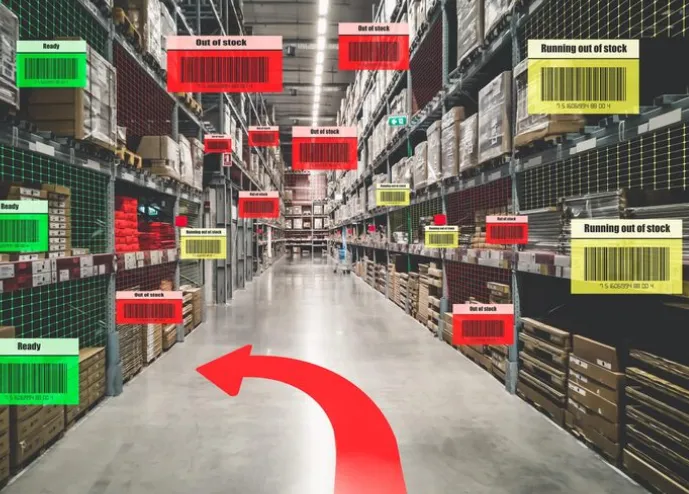
A business with several shops, warehouses, or service sites may have too much stock in one place and too little in another. Each site can look at its own shelves and place a new order, even when the same goods sit unused elsewhere. This ties up cash and raises storage costs. It can also create waste when products have a season or expiry date. Multi-location stock balancing uses shared data to move goods where demand is stronger. A simple review process can reduce shortages, avoid repeat buying, and help every site use the stock the business already owns.
Use One View Across All Sites
Each location should update the same main stock record. Managers need to see the amount at every site, not only the total for the company. A shared view can reveal that one branch has extra units while another is close to a stockout. Without this detail, the buyer may order more even though a transfer would solve the gap.
Compare Demand by Location
The same item may sell at different speeds in different places. A city shop may sell more small packs, while a trade site may need larger units. Review sales or use rates by location. Do not set one reorder level for every branch without checking local demand. Better site-level data helps the team decide where each product should sit.
Set Transfer Rules
A transfer should happen only when it improves the full stock position. The sending site must keep enough goods for its own needs. Set simple rules for minimum stock, transfer amount, approval, and transport cost. A low-value item may not be worth moving a long distance. A high-value or urgent item may justify the cost.
Record Each Move at Both Ends
Every transfer needs a source, destination, item, quantity, date, and status. The receiving site should confirm the amount before the move closes. Good inventory management solutions small business can link the reduction at one site with the increase at the other. This keeps the company total stable and gives staff a clear history of the move.
Use a Transfer-in-Progress State
Goods may spend hours or days between sites. They should not appear as available at both locations during that time. Use a transit state. The sending site reduces its available count when goods leave. The receiving site adds them only after arrival and a check. This helps prevent false stock and missed units.
Review Slow Stock by Site
A product may be slow in one branch but strong in another. A monthly aging report can show where stock has had little movement. Before using a discount, check other sites. A transfer may protect the full selling price. The team should compare likely demand with transport cost and available space before moving the goods.
Plan Around Local Events
Demand can change because of weather, local events, school terms, or nearby projects. Site managers often see these changes first. Create a simple way for them to share expected demand. The central buyer can then move stock early rather than wait for one site to run out. Local notes add useful context to sales reports.
Ask About Multi-Site Features
A business should check whether a stock system supports separate locations, user access, transfers, transit stock, and site reports. It should also ask whether all users see the same data at the same time. The Contact for inventory management software page can be used to confirm these details before a plan is selected. A trial should include a real transfer between two sample sites.
Measure the Result
Track urgent orders, transfer costs, stockouts, and slow stock by location. These figures show whether balancing is helping. If transfers happen too often, reorder levels may need to change. If one site keeps sending stock away, its buying plan may be too high. Regular review turns transfers into a planned tool rather than a daily fix.
Conclusion
Multi-location stock balancing helps a business use existing goods before it places another order. The process needs one shared view, local demand data, clear transfer rules, and a transit state for goods on the move. Slow stock reports and local event notes can guide earlier action. Software should also be tested for site access and linked transfer records. With regular reviews, a company can reduce false shortages, limit excess stock, protect cash, and place products where customers or teams are most likely to need them.

